
View Categories

Project Detail Page

< 1 min read

Please check demo website for designs

There are 3 design of project detail page.

How to import Project detail?

Find "Project Detail" Folder in Product Folder.

Now import "project-detail.xml" file

Go to Dashboard > Tools >Import -> WordPress -> Install Now
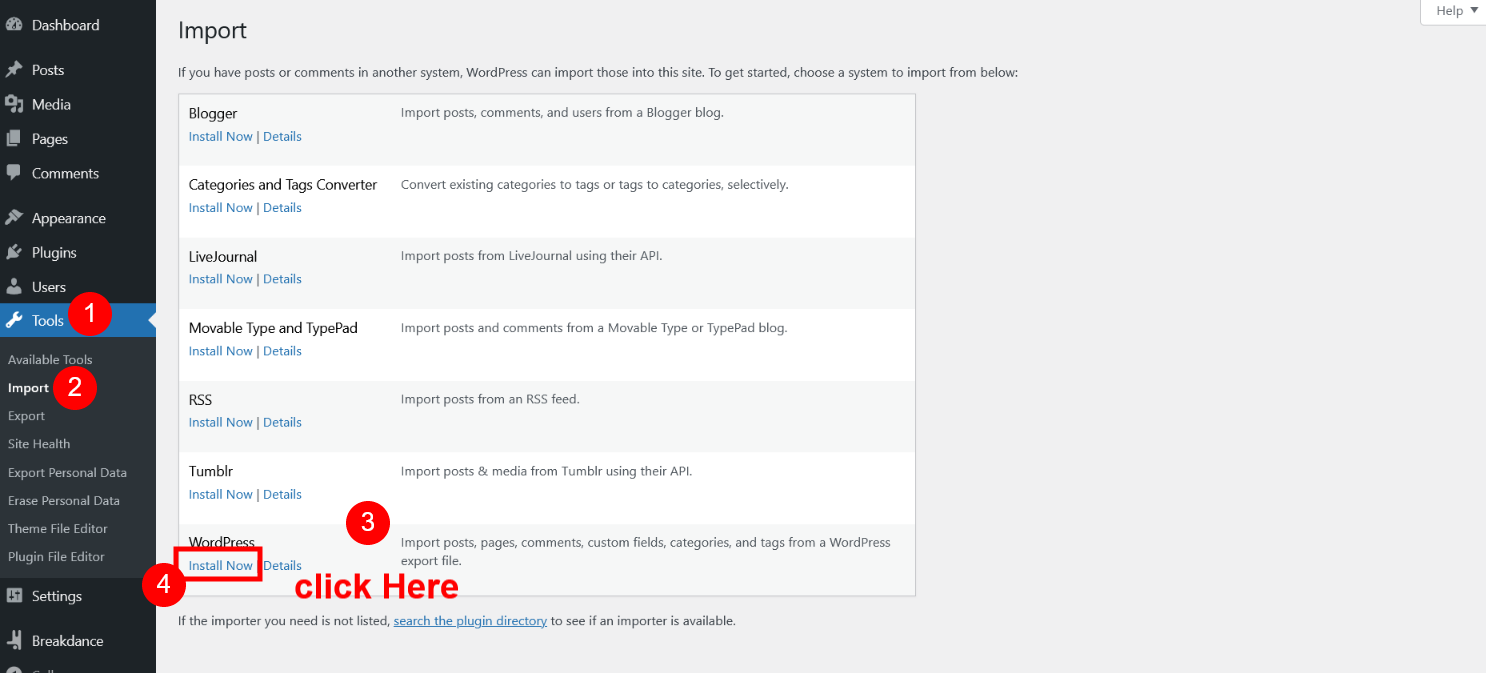
After Install Click on "Run Importer"


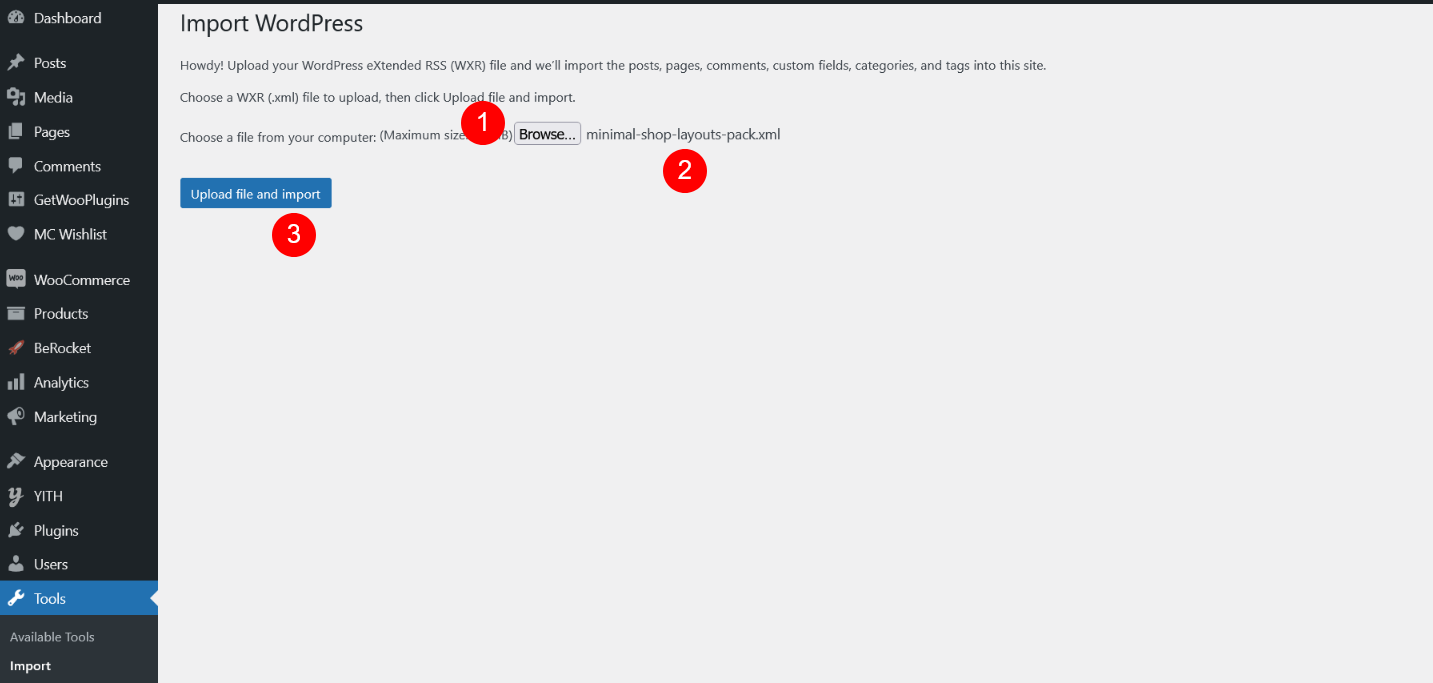
Now select "project-detail.xml" file
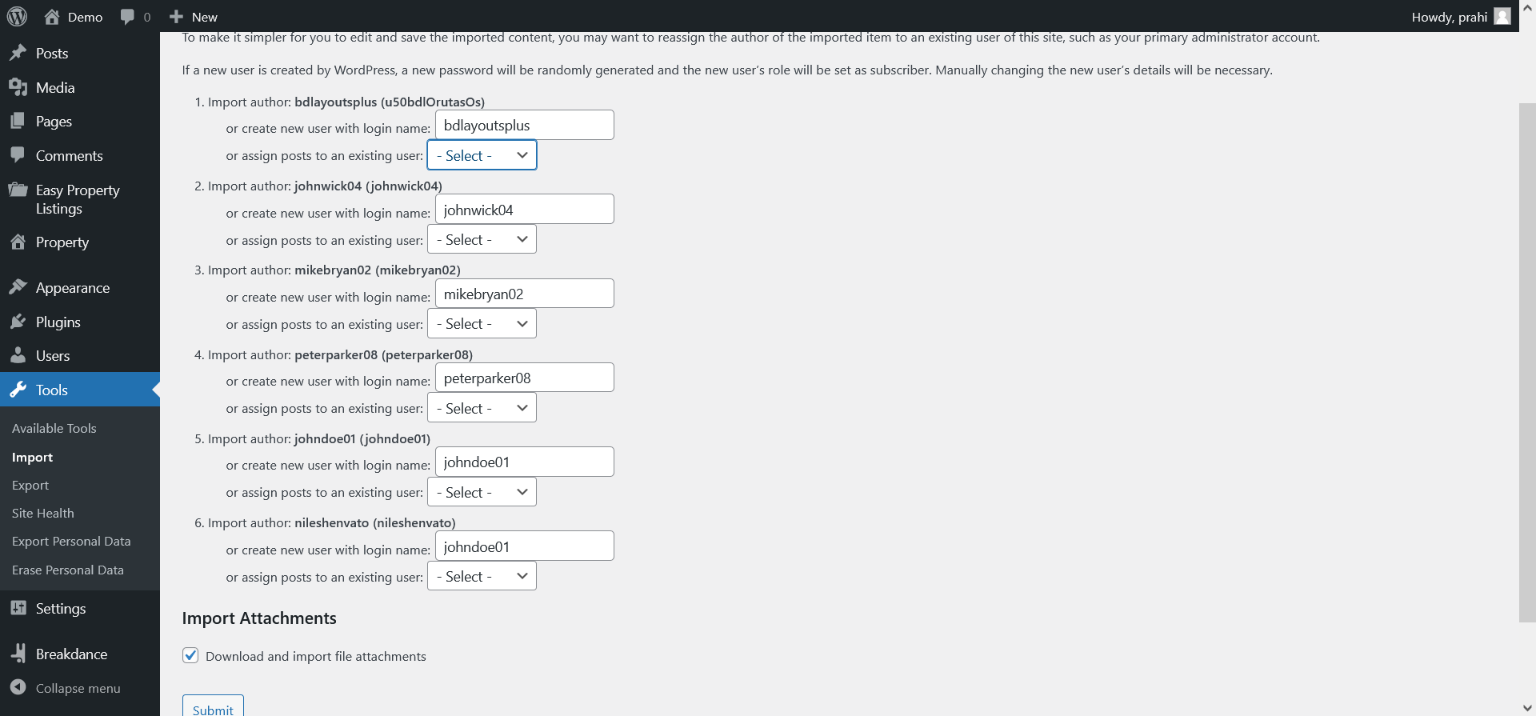
Click On "Submit" Button
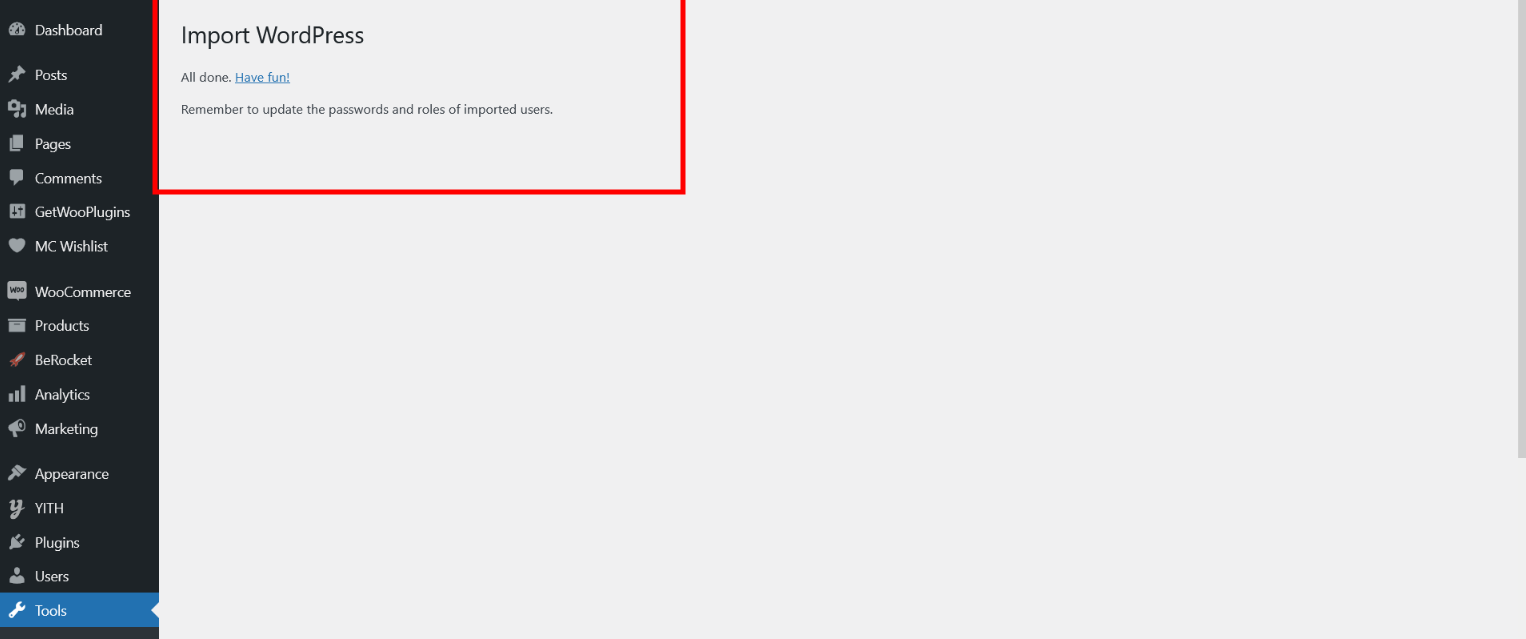
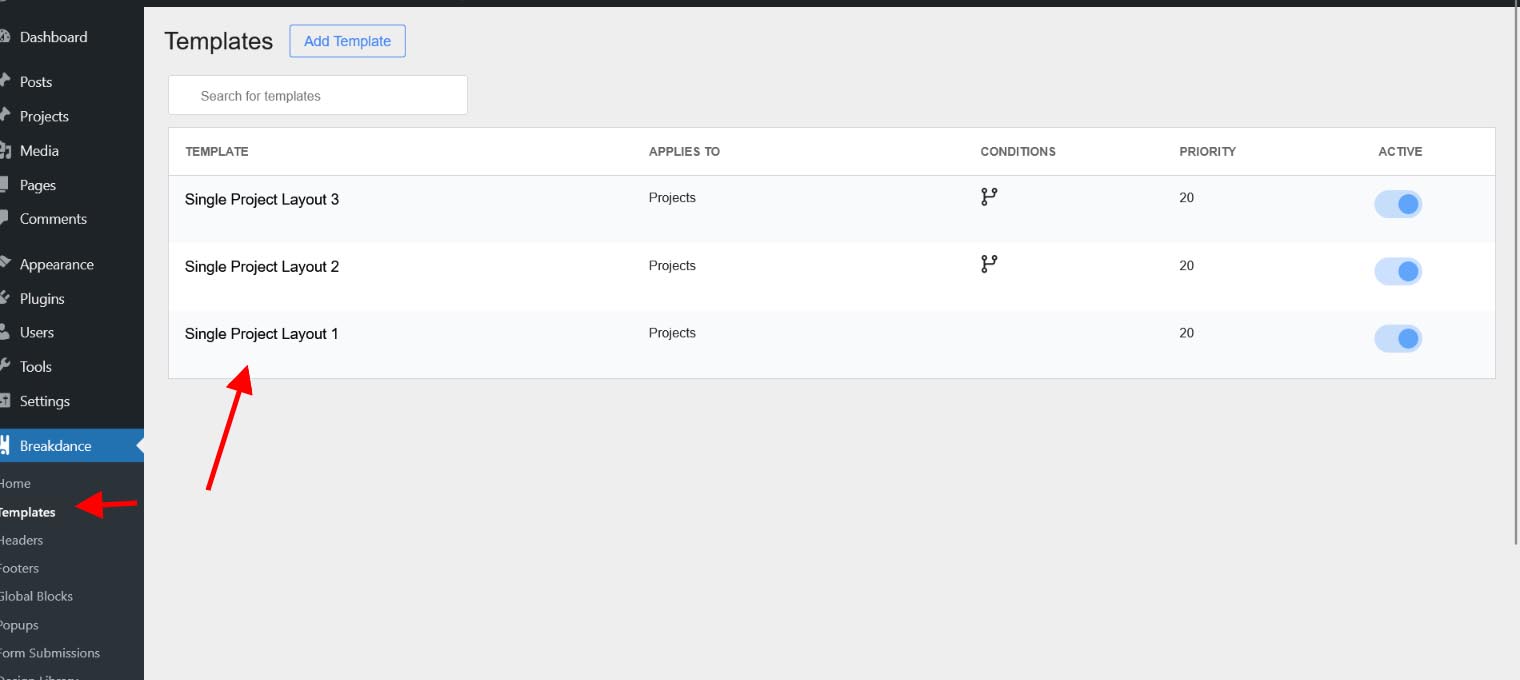
Breakdance Template Data is Imported.
Now SEE
Powered by BetterDocs

Breakdance Pixels Library Plus

Become a member today & get access to all products.

Cutting-edge for Breakdance Builder

Get started and get access to the biggest collection of Breakdance layouts , webkits & landing page .
Jumpstart your next Breakdance project with this amazing selection for an amazing price!
Not every idea fits in a box. Customize your Breakdance website with us
Pixels Library Plus © 2024-2026. All rights reserved.
Breakdance Builder is a registered trademark of Breakdance.