
First Login Here https://pixelslibraryplus.com/my-account/
For Yearly/Lifetime Access Members #
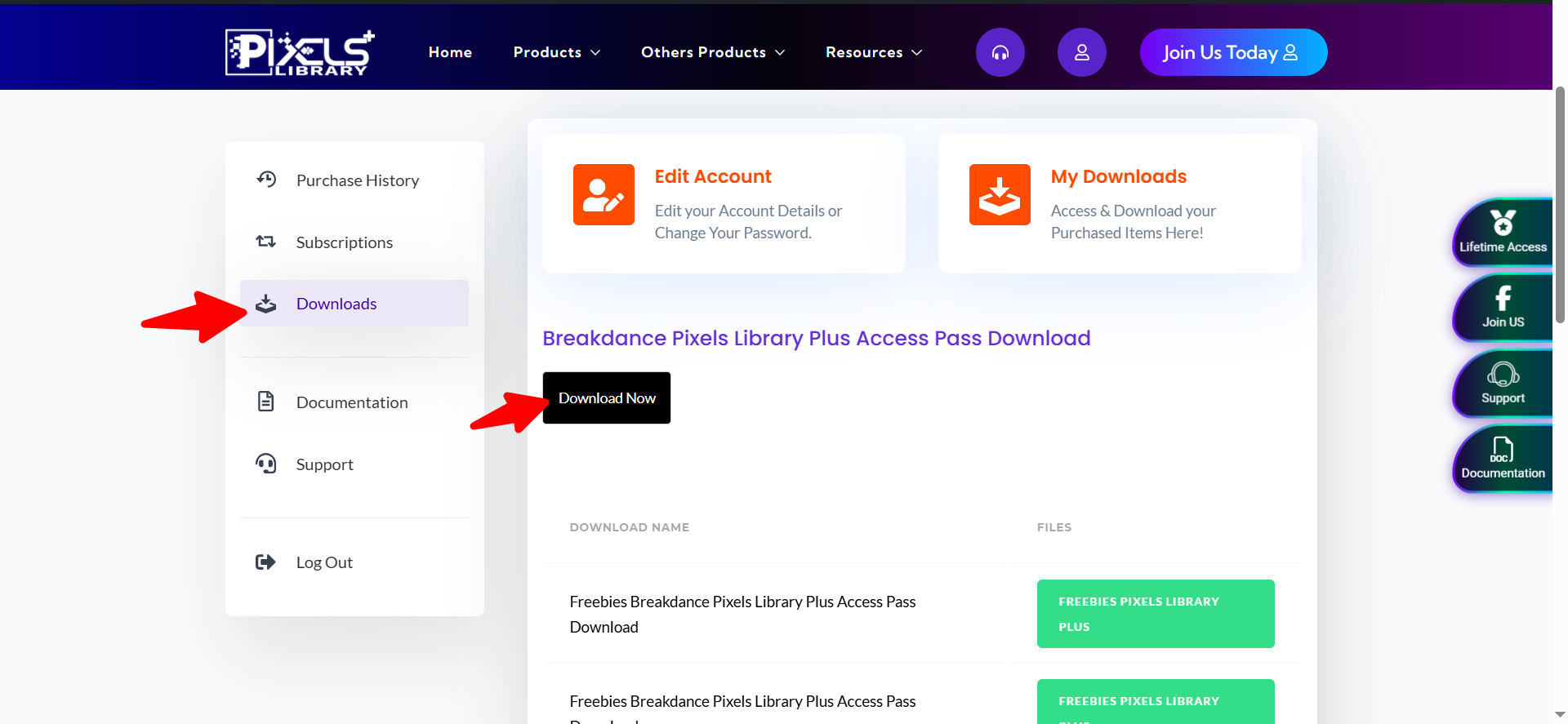
After Login Please go to "Downloads" Tab and see "Download Now" Button
In this zip file you can found our all templates and plugins
For Individual Template or Freebies Buyer #
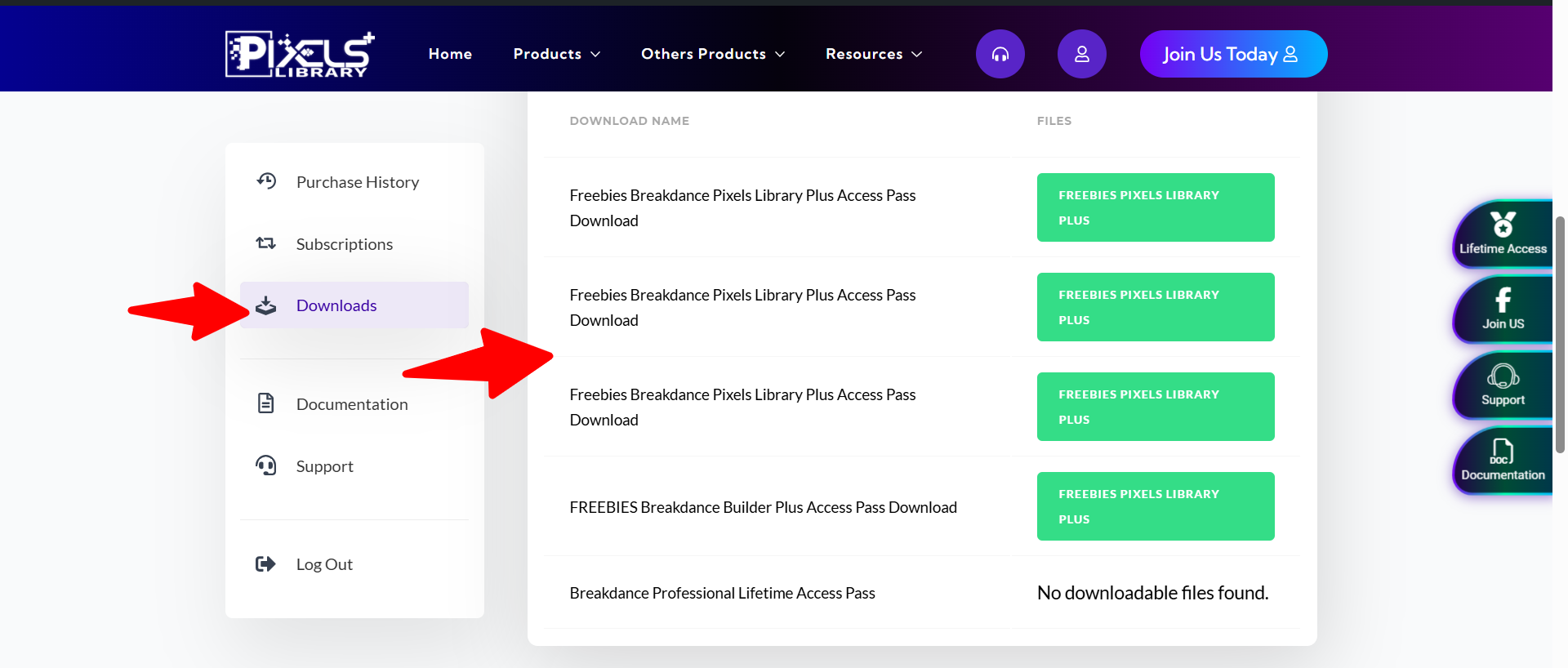
After Login Please go to "Downloads" Tab and see
In this zip file you can found our Individual templates or plugins base on purchase.
For Yearly/Lifetime Access Members #
Once you downloaded our product then first unzip that folder.
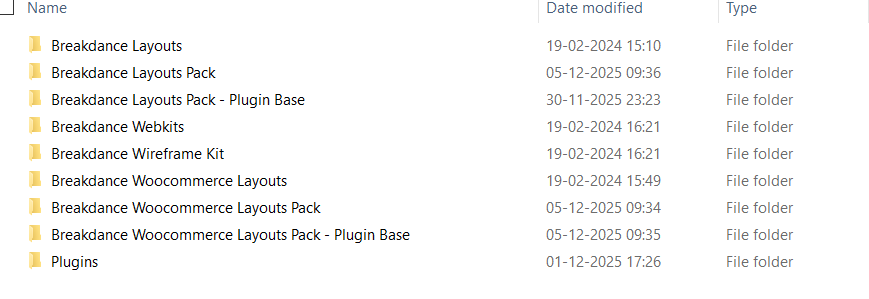
Now you can see all categories wise folders
Each Folder Information #
Breakdance Layouts Folder #
You can see all one page layout.
Breakdance Layouts Pack Folder #
You can see all full website layouts pack.
Breakdance Layouts Pack - Plugin Base Folder #
You can see all full website layouts pack of plugin base.
Breakdance Webkits Folder #
You can see all webkit sections.
Breakdance Wireframe Kit Folder #
You can see all wireframe sections.
Breakdance Woocommerce Layouts Folder #
You can see all one page layout pack of woocommerce.
Breakdance Woocommerce Layouts Pack Folder #
You can see all full website layouts pack of woocommerce.
Breakdance Woocommerce Layouts Pack - Plugin Base Folder #
You can see all full website layouts pack of woocommerce plugin base.
Plugins Folder #
You can see all our plugins of Breakdance Builder
For Yearly/Lifetime Access Members #
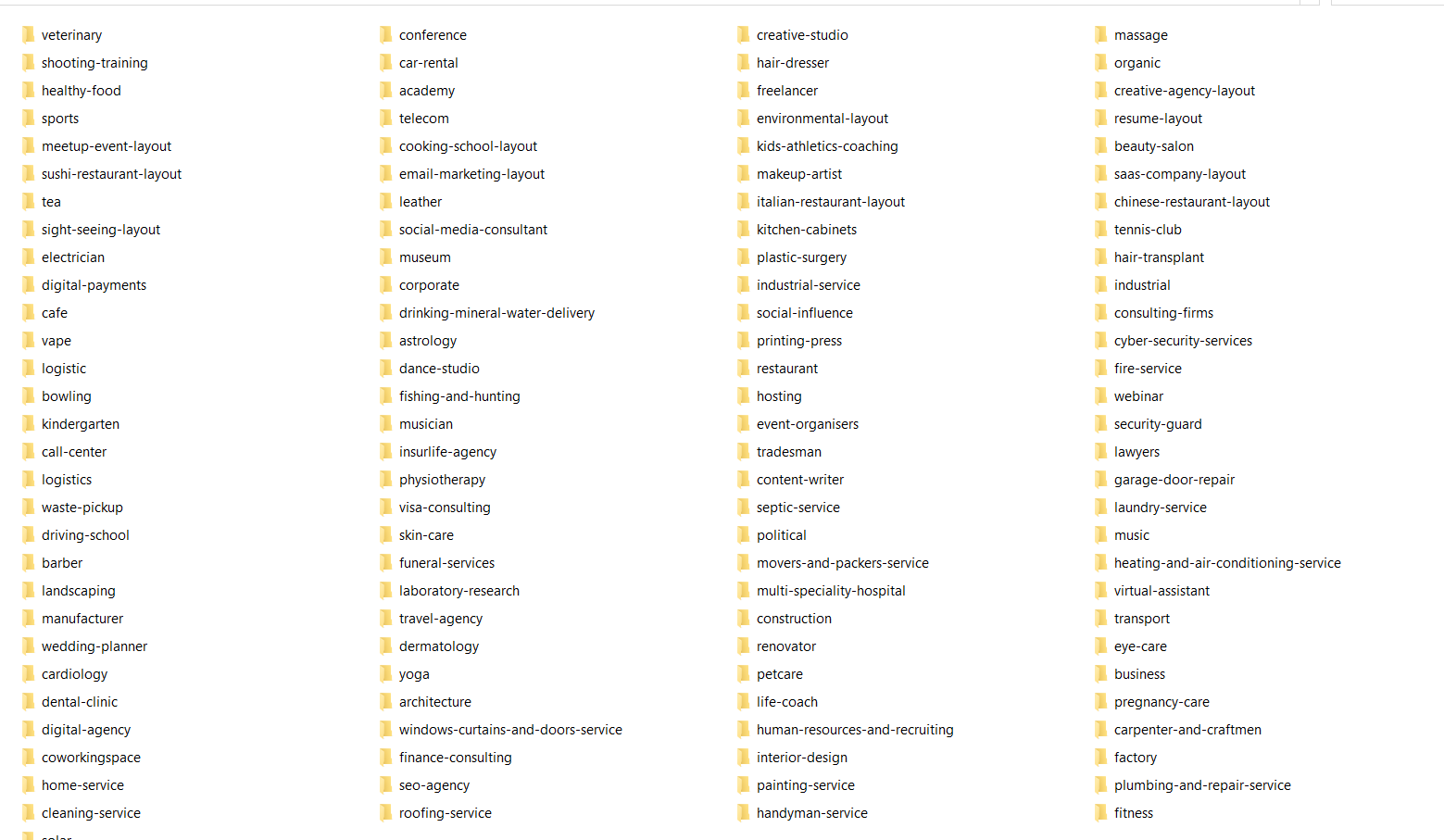
For Breakdance Layouts Folder - One Page #
Once you open then you can see below.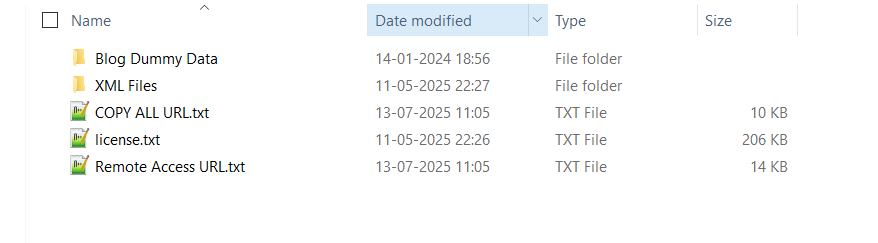
Remote Access URL.txt : You can see all product name with url
COPY ALL URL.txt : You can see all products url only so you can easily copy all urls.
license.txt: Image references links which we used in our product.
Blog Dummy Data : Dummy content of blogs
XML Files : You can see all one page layout products
For Breakdance Layouts Pack Folder - Full Website #
Once you open then you can see below.
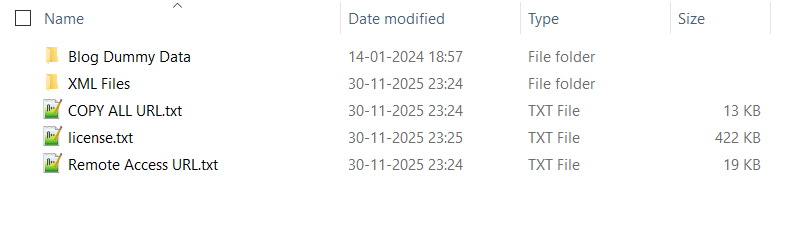
Remote Access URL.txt : You can see all product name with url
COPY ALL URL.txt : You can see all products url only so you can easily copy all urls.
license.txt: Image references links which we used in our product.
Blog Dummy Data : Dummy content of blogs
XML Files : You can see all full website layouts pack products
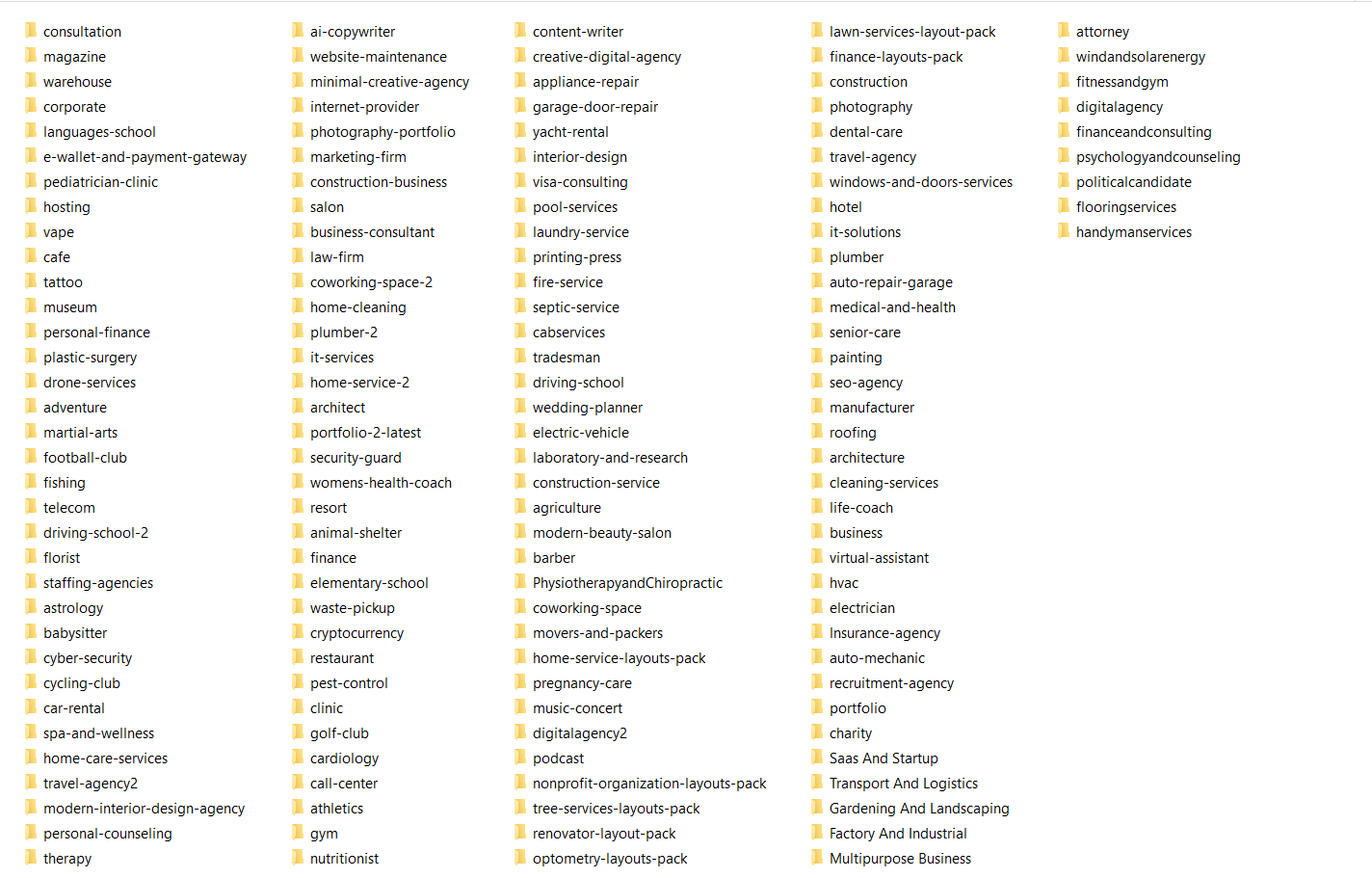
For Breakdance Layouts Pack - Plugin Base Folder - Full Website #
Once you open then you can see below.
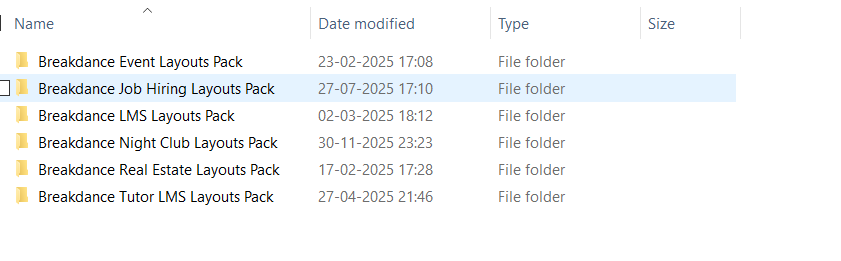
For example- Open "Breakdance Event Layouts Pack" Folder
You can see below

Remote Access URL.txt : You can see remote url
How to install plugin base layout pack : Please read documentation and follow
license.txt: Image references links which we used in our product.
Blog Dummy Data : Dummy content of blogs
XML Files : You can see files of that layouts pack.
For Breakdance Webkits Folder - Sections #
Once you open then you can see below.
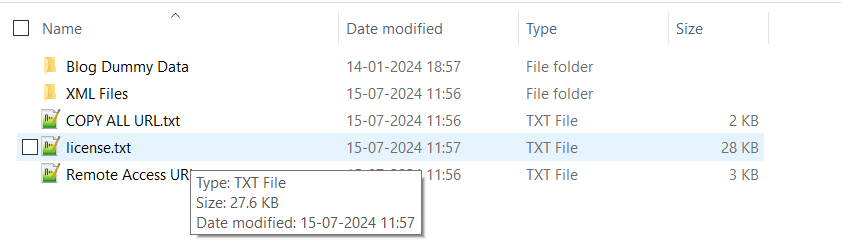
Remote Access URL.txt : You can see all product name with url
COPY ALL URL.txt : You can see all products url only so you can easily copy all urls.
license.txt: Image references links which we used in our product.
Blog Dummy Data : Dummy content of blogs
XML Files : You can see all sections webkit products
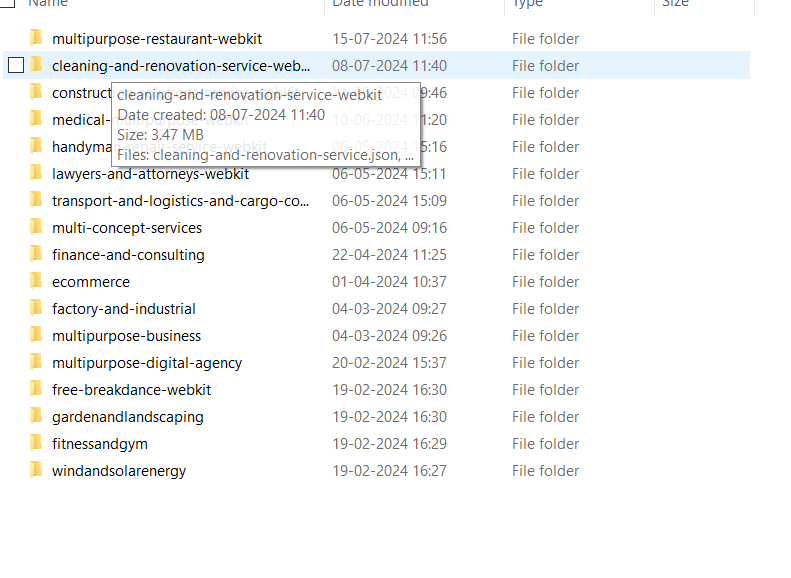
For Breakdance Wireframe Kit Folder - Sections #
Once you open then you can see below.

Remote Access URL.txt : You can see wire frame remote url
license.txt: Image references links which we used in our product.
Blog Dummy Data : Dummy content of blogs
XML Files : You can see wire frame files
For Breakdance Woocommerce Layouts Folder - One Page #
Note : You need to first install woo commerce plugin.
Once you open then you can see below.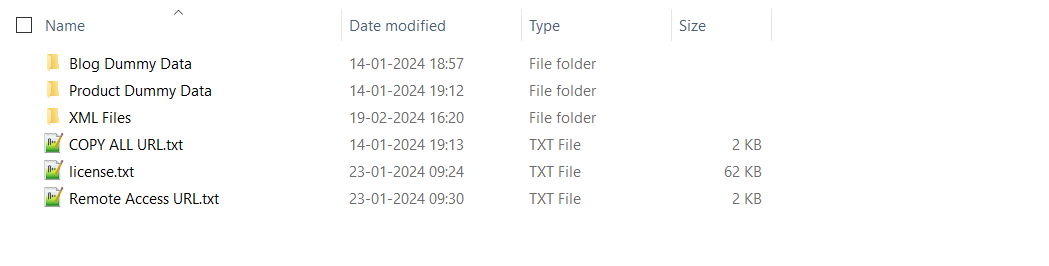
Remote Access URL.txt : You can see all product name with url
COPY ALL URL.txt : You can see all products url only so you can easily copy all urls.
license.txt: Image references links which we used in our product.
Blog Dummy Data : Dummy content of blogs
Product Dummy Data(if Woocommerce) : : Dummy content of products
XML Files : You can see all one page layout of woocommerce products
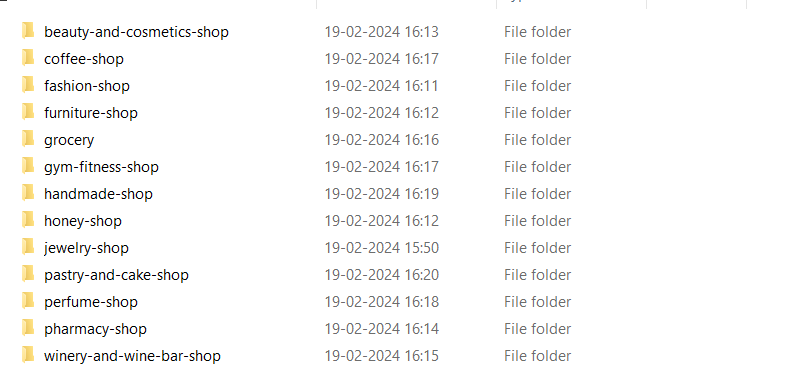
For Breakdance Woocommerce Layouts Pack - Full Website #
Once you open then you can see below.
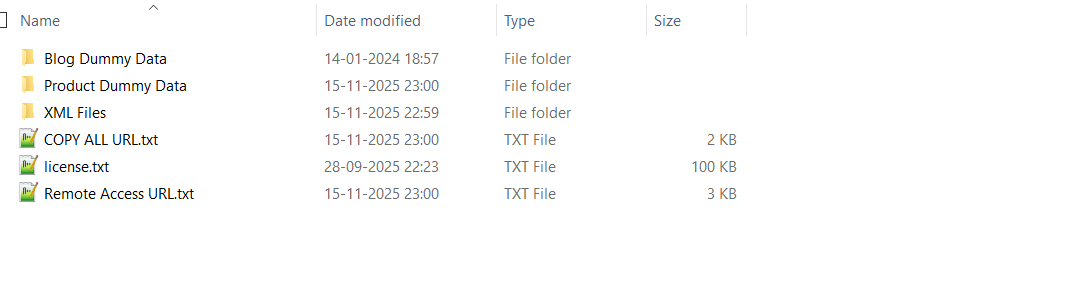
Remote Access URL.txt : You can see all product name with url
COPY ALL URL.txt : You can see all products url only so you can easily copy all urls.
license.txt: Image references links which we used in our product.
Blog Dummy Data : Dummy content of blogs
Product Dummy Data(if Woocommerce) : : Dummy content of products
XML Files : You can see all full website layouts pack products
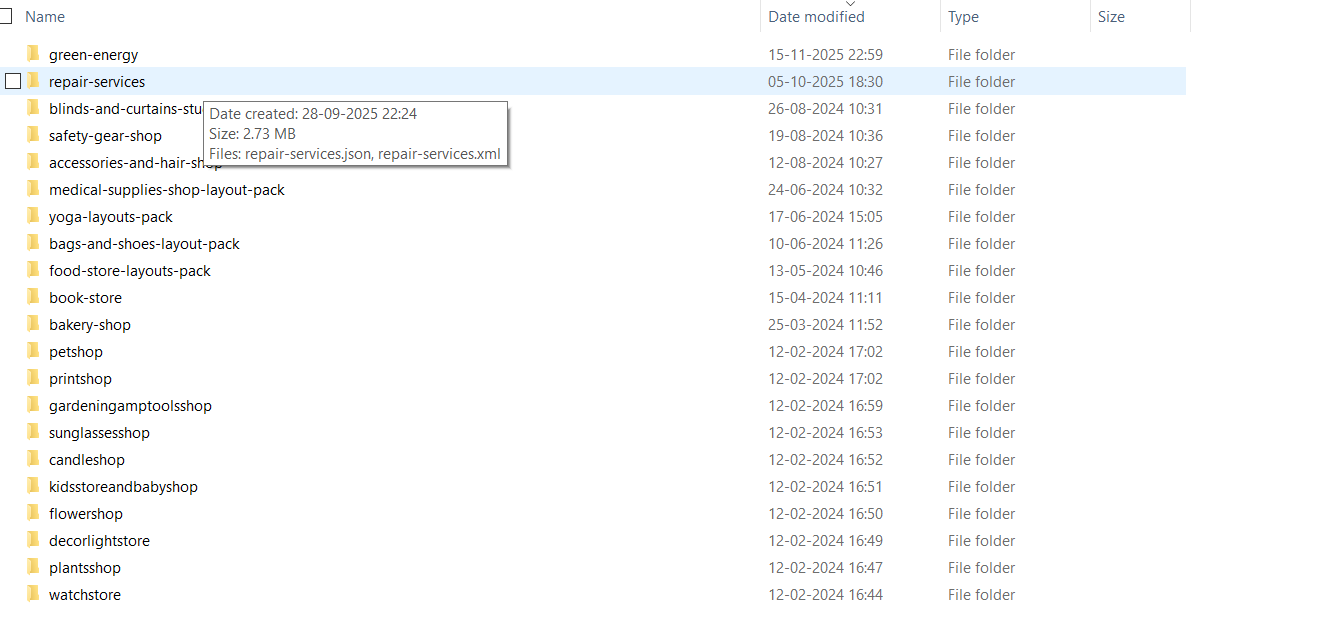
For Breakdance Woocommerce Layouts Pack - Plugin Base Folder - Full Website #
Once you open then you can see below.
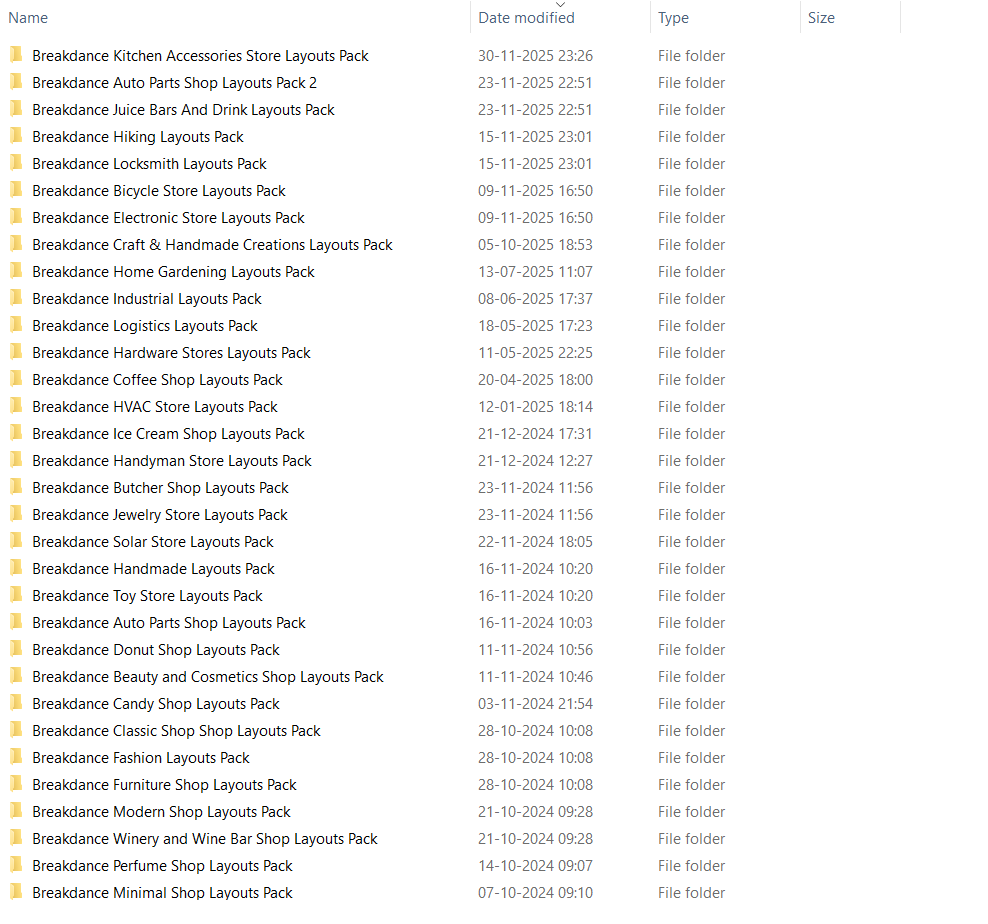
For example- Open "Breakdance Kitchen Accessories Store Layouts Pack" Folder
You can see below
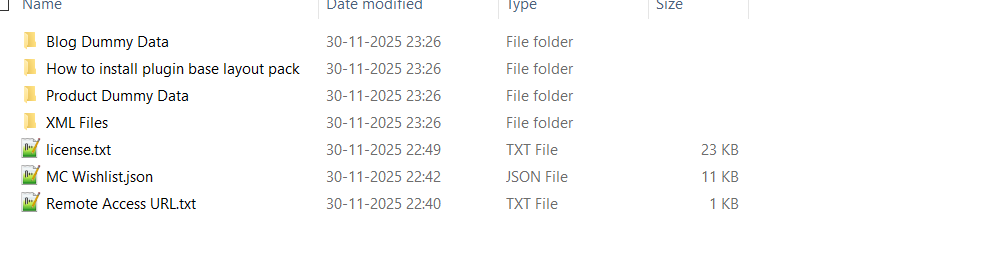
Remote Access URL.txt : You can see remote url
How to install plugin base layout pack : Please read documentation and follow
license.txt: Image references links which we used in our product.
MC Wishlist.json: Import Wishlist data.
Blog Dummy Data : Dummy content of blogs
Product Dummy Data(if Woocommerce) : : Dummy content of products
XML Files : You can see files of that woo layouts pack.
For Plugins Folder #
Once you open then you can see below.

For example- Open "Breakdance Flipcard Element" Folder
You can see below

Remote Access URL.txt : You can see remote url and import demo sections or copy from front end.
ZIP File : Please install zip file in plugin and activate.
For Individual Template or Freebies Buyer #
For Breakdance Layouts - One Page #
After unzip, Once you open then you can see below.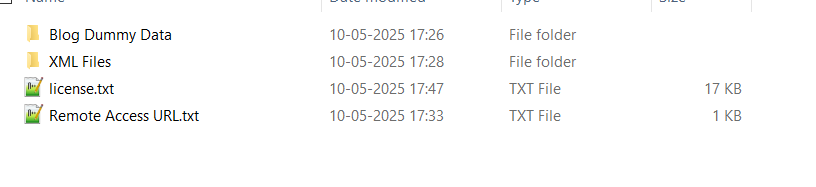
Remote Access URL.txt : You can see product name with url
license.txt: Image references links which we used in our product.
Blog Dummy Data : Dummy content of blogs
XML Files : You can see xml files

For Breakdance Layouts Pack - Full Website #
After unzip, Once you open then you can see below.

Remote Access URL.txt : You can see product name with url
license.txt: Image references links which we used in our product.
Blog Dummy Data : Dummy content of blogs
XML Files : You can see xml files
For Breakdance Layouts Pack - Plugin Base - Full Website #
After unzip, Once you open then you can see below.
For example- Open "Breakdance Event Layouts Pack" Folder
You can see below
Remote Access URL.txt : You can see remote url
How to install plugin base layout pack : Please read documentation and follow
license.txt: Image references links which we used in our product.
Blog Dummy Data : Dummy content of blogs
XML Files : You can see files of that layouts pack.
For Breakdance Webkits - Sections #
After unzip, Once you open then you can see below.
Remote Access URL.txt : You can see product name with url
license.txt: Image references links which we used in our product.
Blog Dummy Data : Dummy content of blogs
XML Files : You can see all sections webkit product
For Breakdance Wireframe Kit - Sections #
After unzip, Once you open then you can see below.
Remote Access URL.txt : You can see wire frame remote url
license.txt: Image references links which we used in our product.
Blog Dummy Data : Dummy content of blogs
XML Files : You can see wire frame files
For Breakdance Woocommerce Layouts - One Page #
Note : You need to first install woo commerce plugin.
After unzip, Once you open then you can see below.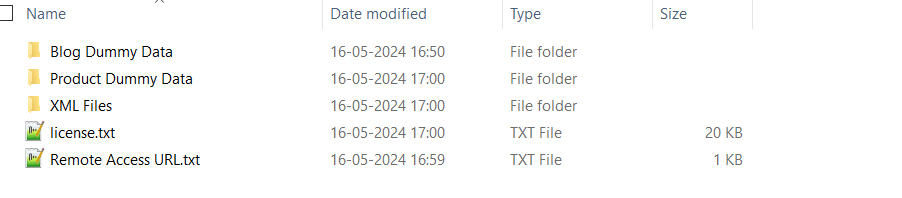
Remote Access URL.txt : You can see product name with url
license.txt: Image references links which we used in our product.
Blog Dummy Data : Dummy content of blogs.
Product Dummy Data(if Woocommerce) : : Dummy content of products.
XML Files : You can see xml files.
For Breakdance Woocommerce Layouts Pack - Full Website #
After unzip, Once you open then you can see below.
Remote Access URL.txt : You can see product name with url
license.txt: Image references links which we used in our product.
Blog Dummy Data : Dummy content of blogs
Product Dummy Data(if Woocommerce) : : Dummy content of products
XML Files : You can see xml files.
For Breakdance Woocommerce Layouts Pack - Plugin Base - Full Website #
After unzip, Once you open then you can see below.
For example- Open "Breakdance Kitchen Accessories Store Layouts Pack" Folder
You can see below
Remote Access URL.txt : You can see remote url
How to install plugin base layout pack : Please read documentation and follow
license.txt: Image references links which we used in our product.
MC Wishlist.json: Import Wishlist data.
Blog Dummy Data : Dummy content of blogs
Product Dummy Data(if Woocommerce) : : Dummy content of products
XML Files : You can see files of that woo layouts pack.
For Plugins Folder #
After unzip, Once you open then you can see below.
For example- Open "Breakdance Flipcard Element" Folder
You can see below
Remote Access URL.txt : You can see remote url and import demo sections or copy from front end.
ZIP File : Please install zip file in plugin and activate.